New Make modules: build and power monday.com agents
You can now build monday.com agents with Make. With the new Bring Your Own Agent integration, your agent's logic runs in a Make scenario, and people can chat with it, @mention it on an item, or assign it work, just like a teammate.
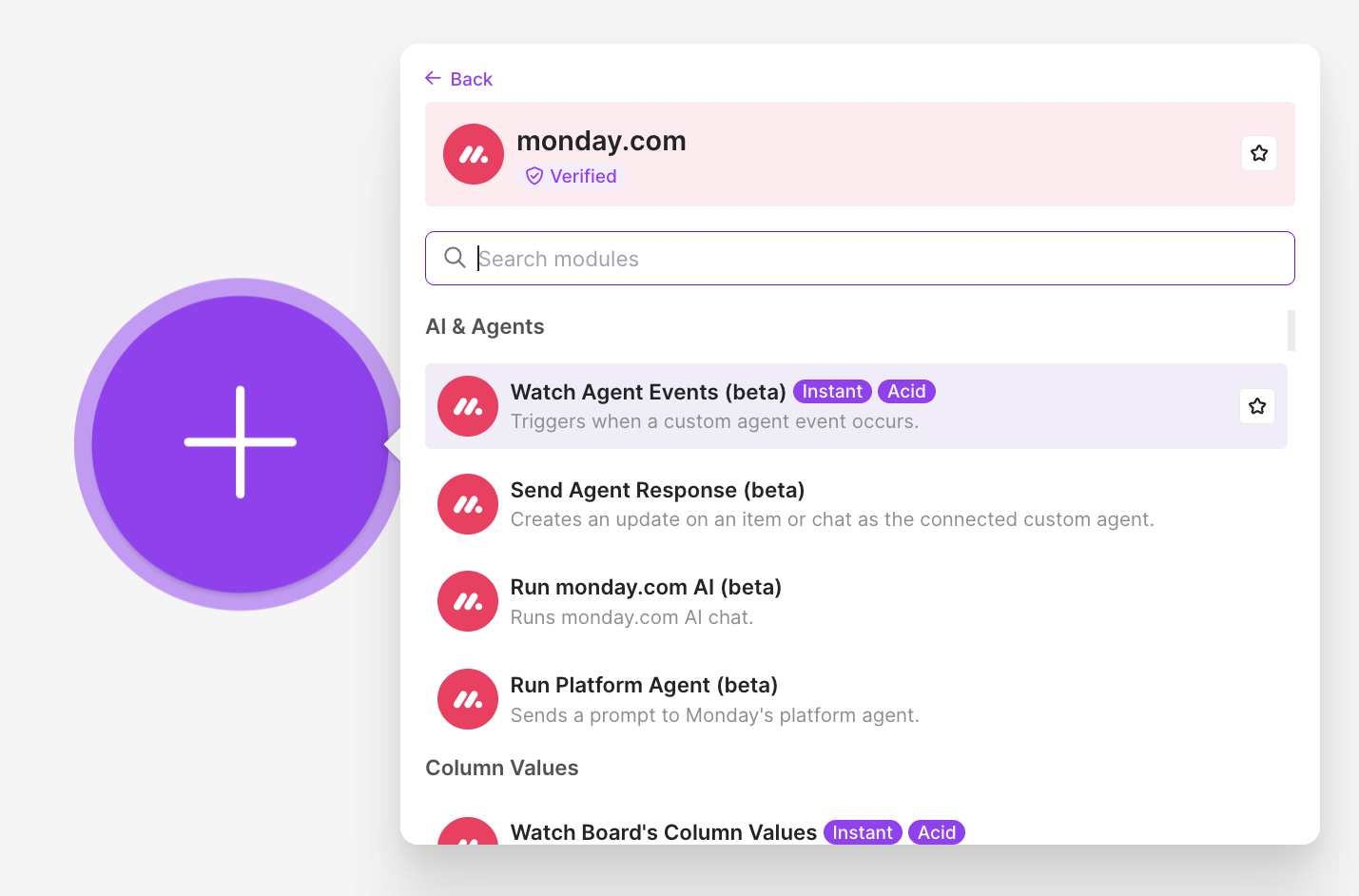
The integration adds four new modules to Make:
Agent modules
- Watch Agent Events (beta) — an instant trigger that fires whenever your agent is triggered in monday.com (chat, mention, or assign). Saving the module creates a webhook and attaches it to your agent automatically.
- Send Agent Response (beta) — sends a reply back as the agent, on an item or in a chat
monday.com AI modules
- Run monday.com AI (beta) — run LLM calls to multiple providers through monday.com
- Run Platform Agent (beta) — an agent that can take any actions on monday.com
Get started
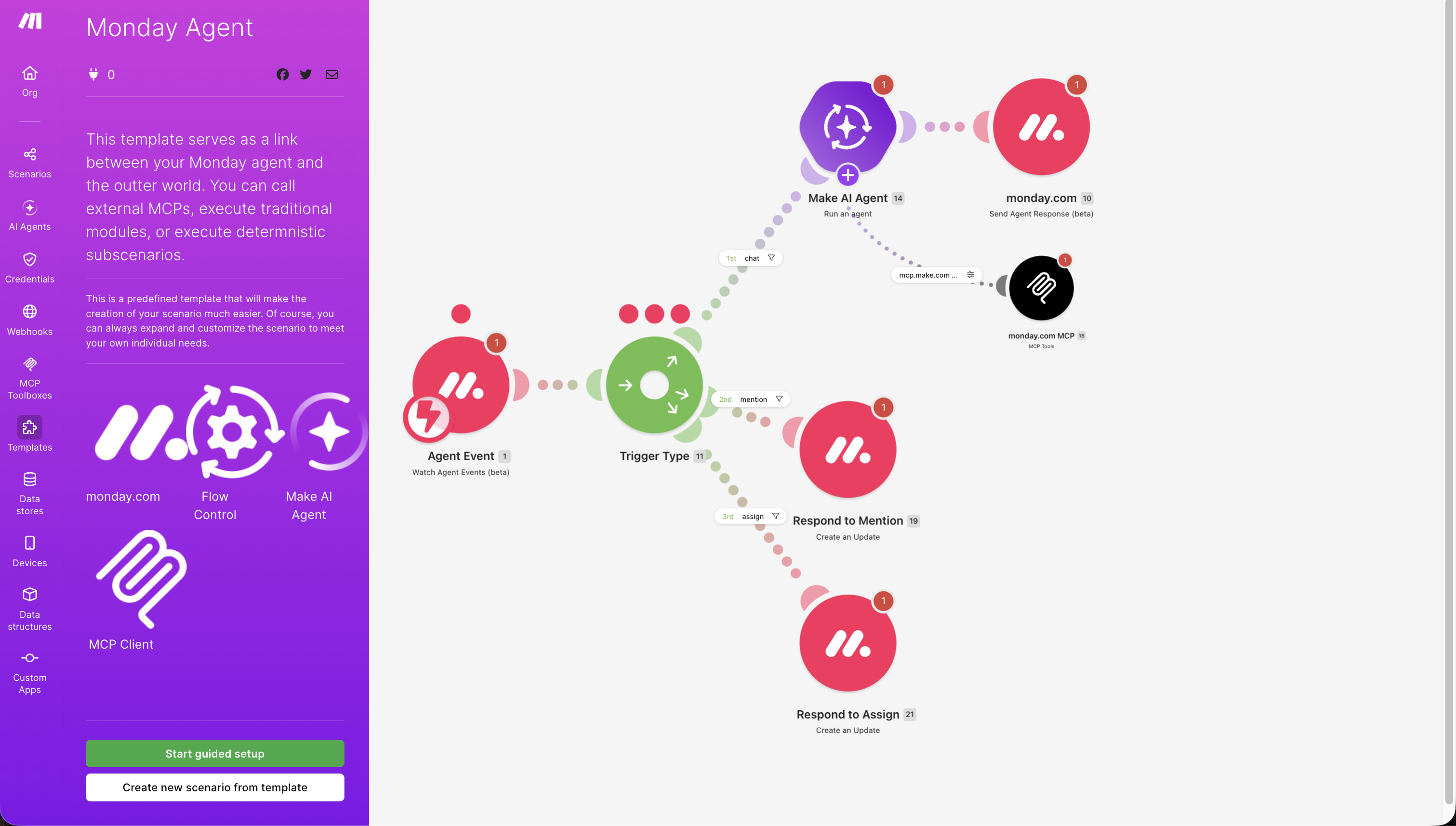
Create an agent in monday.com under Agents → Bring your own agent → Make, copy its API key, and open the Monday Agent template in Make. The template comes with a router that splits the flow by event type:
- Chat — runs a Make AI Agent that keeps the conversation history, so follow-up questions have context, then replies with Send Agent Response
- Mention — responds on the item where the agent was mentioned
- Assign — responds on the item the agent was assigned to
To let your agent read and write monday.com data, connect it to the monday MCP (https://mcp.monday.com/mcp) using the same connection as your agent. From there, extend the template with your own tools, workflows, or the monday.com AI modules.
Read the full setup guide or watch the video walkthrough.