
Object fields
The object type is a field of fields. It returns a list of other fields, either statically or dynamically. Each field can also support remote options.
Reference
Schema
The schema defines the subfields that make up your object.
Static schema
Choose a static schema if the fields in your object will not change. You can configure each subfield in the Developer Center:
- Subfield title: Enter a unique name for the schema subfield.
- Subfield key: Enter a unique identifier for the schema subfield.
- Choose primitive type: Select one from the list.
- Is array?: Select whether or not it is an array.
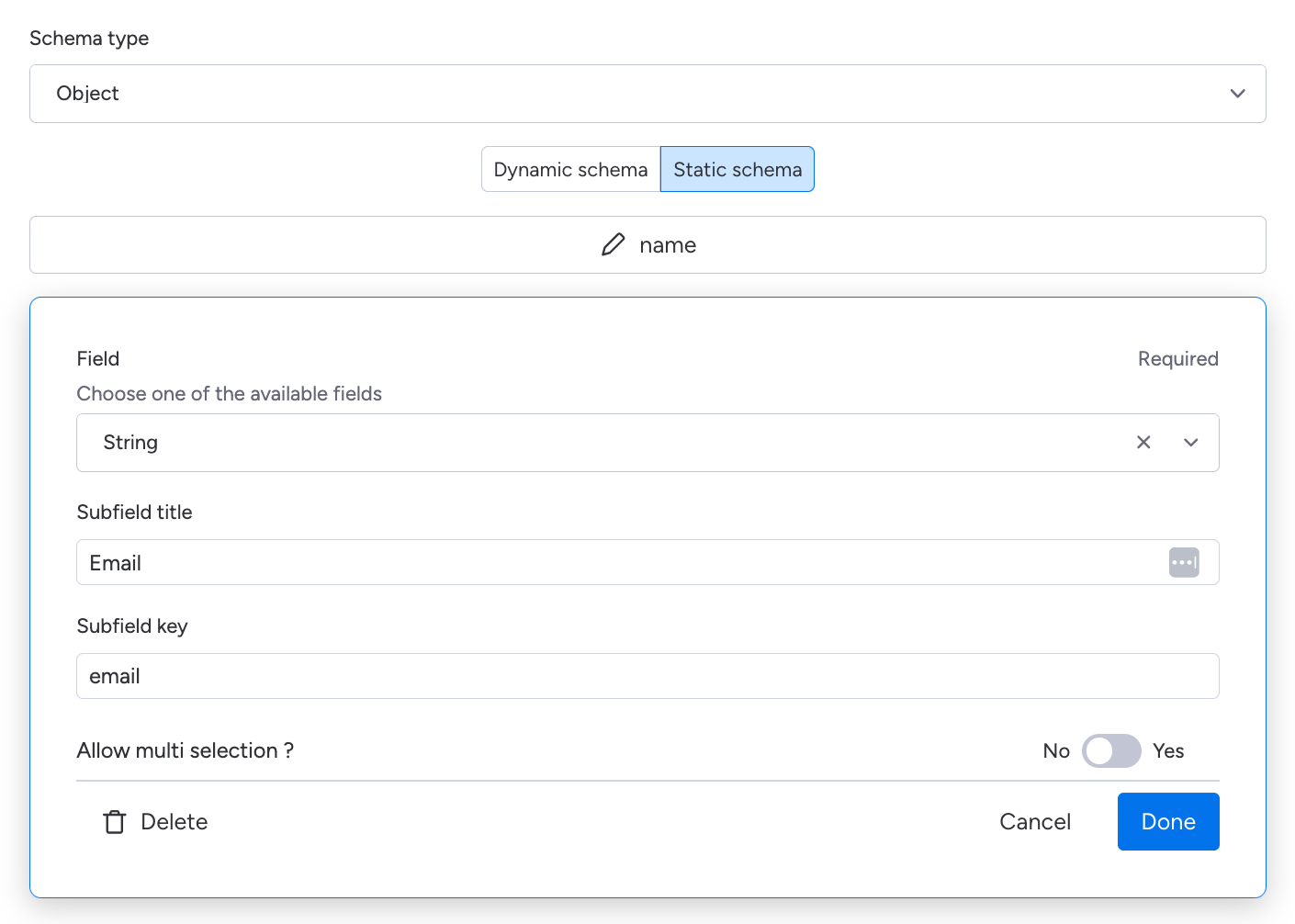
Configuring the static schema with a "name" and "email" field
Dynamic schema
With a dynamic schema, you can choose the fields at runtime. Choose this option if you want programatic control over your schema or rely on dependencies. You must add a schema URL that returns the list of fields to configure.
When the field is loaded, monday will send a request to the schema URL, and the fields included in the response will be shown to the user.
The schema URL should return a JSON object. Each key is the unique key of the field, and each value is an object containing:
title: field label shown to the usertype:primitiveorcustomprimitiveType(if applicable): string, number, boolean, or datefieldTypeKey(for custom fields)isNullable: whether the user can leave the field blankisOptional: whether the field is required when validating the schema payloadisArray: whether the user can choose multiple values
Always include
isOptionaland set it to the same value asisNullable. If you omit theisOptionalproperty for a field, the field may not behave as expected at runtime.
{
  "name": {
    "title": "User name",              // Label shown to the user
    "type": "primitive",               // Type - primitive or custom
    "primitiveType": "string",         // Used only for primitive fields
    "isNullable": false,               // Use true if the user can leave the field blank
    "isOptional": false,               // Should match isNullable
    "isArray": true                    // Use true if user can choose multiple options
  },
  "email": {
    "title": "Email",
    "type": "primitive",
    "primitiveType": "string",
    "isNullable": false,
    "isOptional": false,
    "isArray": false
  },
  "transformationType": {
    "title": "Logins",
    "type": "custom",
    "fieldTypeKey": "logins",          // Feature's unique key to reference custom fields
    "isNullable": false,
    "isOptional": false,
    "isArray": false
  }
}
router.post('/fields/object', (req, res) => {
res.send({
name: {
title: "User name",
type: "primitive",
primitiveType: "string",
isNullable: false,
isOptional: false,
isArray: true
},
email: {
title: "Email",
type: "primitive",
primitiveType: "string",
isNullable: false,
isOptional: false,
isArray: false
},
transformationType: {
title: "Logins",
type: "custom",
fieldTypeKey: "logins", // Use the feature's unique key
isNullable: false,
isOptional: false,
isArray: false
}
});
});Dependencies
Your object can support mandatory and optional dependencies. These dependencies will be passed to your schema URL. Each dependency has a type and a field key.
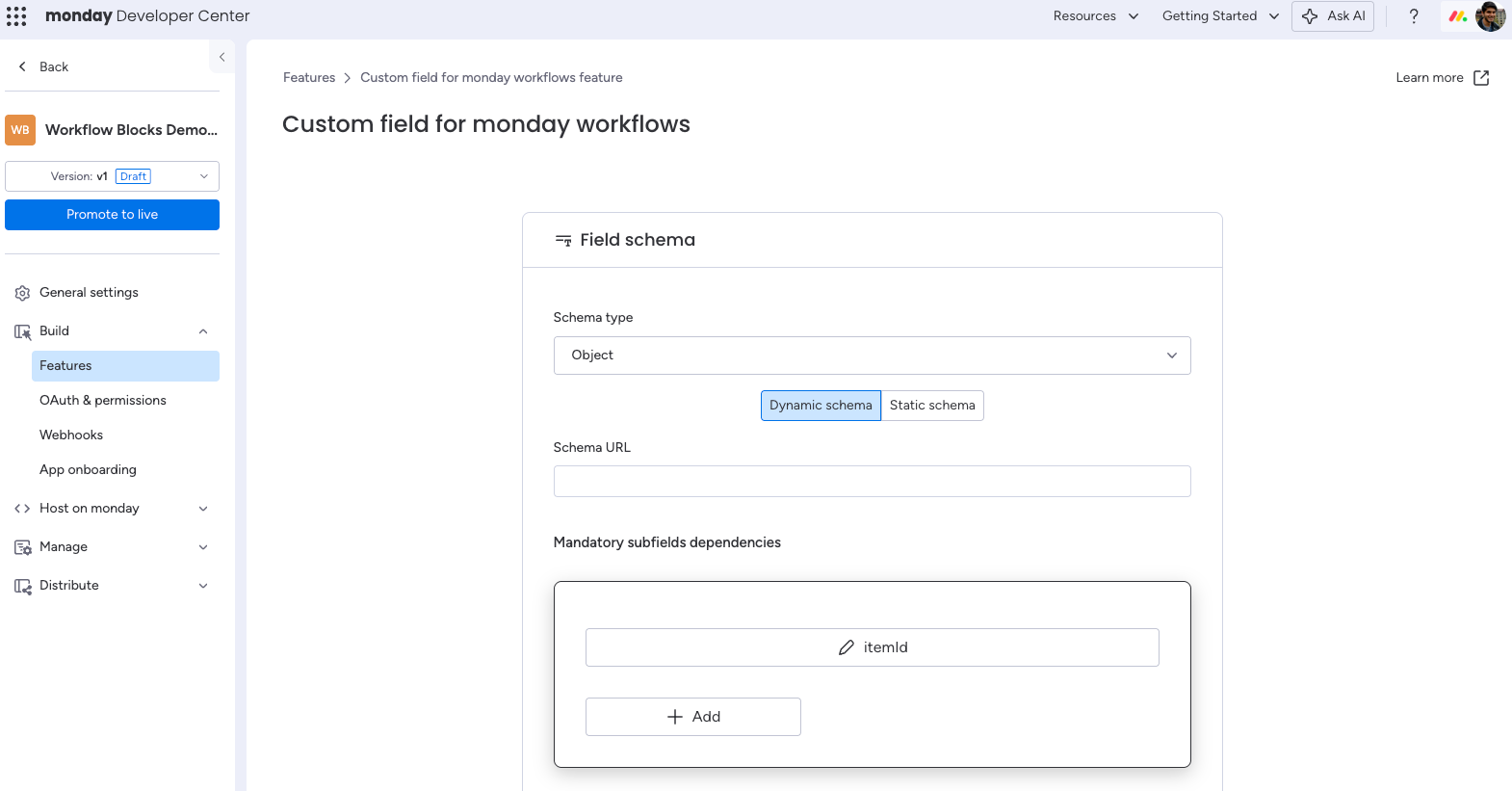
Sample request
The following request shows an object as an input field in an action block.
{
  "payload": {
    "blockKind": "action",
    "credentialsValues": {
      "credentials-key": {
        "userCredentialsId": 12345,
        "accessToken": "abc1234"
      }
    },
    "inboundFieldValues": {
      "object": {
        "email": "Hello world",
        "name": ["Dipro"],
        "lastCall": "1993-08-27"
      }
    },
    "inputFields": {
      "object": {
        "email": "Hello world",
        "name": ["Dipro"],
        "lastCall": "1993-08-27"
      }
    },
    "recipeId": 629186,
    "integrationId": 398515811
  },
  "runtimeMetadata": {
    "actionUuid": "6b68c693284f082e506361b1b5430955",
    "triggerUuid": "176d9c746aac92c59cce735b949daec5"
  }
}
Updated 8 months ago